AI vs Manual Thumbnails: When to Use Each
15 Oct 2025
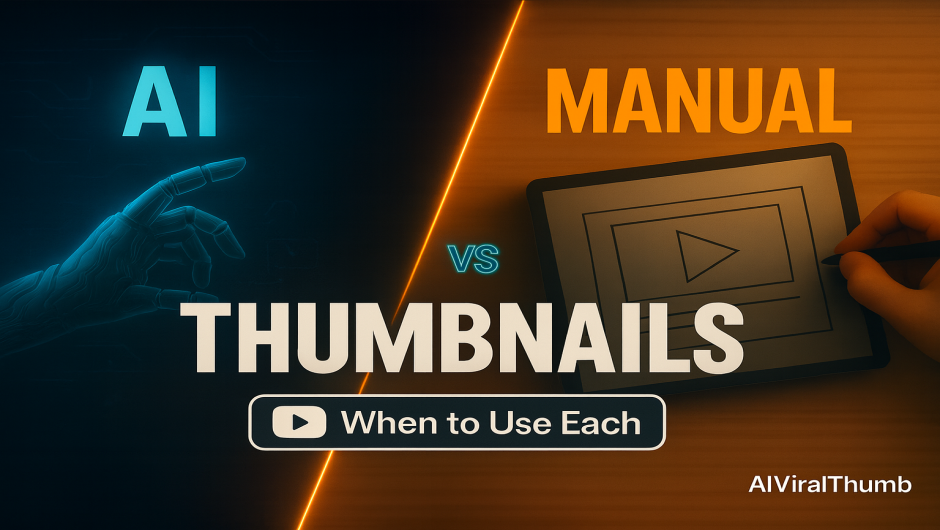
Your thumbnail is the first pitch your video makes. Get it right and your click-through rate (CTR) climbs, watch time follows, and the algorithm keeps sending you traffic. Get it wrong and even a great video can stall. The big question creators ask today: Should I use an AI thumbnail maker or design manually? This guide breaks down when each approach shines, how to combine both, and the exact steps to test what actually works—so you can grow with confidence.
Quick Comparison: Strengths & Trade-Offs
| Approach | Best For | Pros | Watch-outs |
|---|---|---|---|
| AI Thumbnails (AIViralThumbs) | Speed, ideation, 5–10 quick variations, consistent mobile-ready layouts | Fast, affordable, scalable, great for testing hooks, easy to repurpose as social media images | May need light edits for brand nuance or complex compositions |
| Manual Design | Premium campaigns, intricate compositions, strict brand art direction | Pixel-perfect control, bespoke illustration & retouching, deep brand storytelling | Slower, higher cost per iteration, fewer testable variants |
When to Choose AI Thumbnails
- You need speed & volume. Publishing multiple videos per week? AI lets you generate several strong options in minutes.
- You’re testing a new hook. Try bold phrases like “Boost CTR” vs “Fix Your Thumbnails” and choose the winner by data, not gut feel.
- You want consistent readability on mobile. Good AI templates enforce safe zones, big type, and high contrast by default.
- You’re repurposing creatives. Turn a winning layout into social media images for community posts, X, Instagram, and Facebook.
When to Choose Manual Design
- Signature campaigns. Launch videos, brand refreshes, or collaborations where every pixel must feel premium.
- Complex compositing. Precision cut-outs, multi-layer lighting, or photo-illustration that demands a designer’s eye.
- Strict brand systems. When you need bespoke typography, custom illustration, or art-directed photoshoots.
The Hybrid Workflow (Best of Both)
Many top channels combine both approaches: ideate with AI → refine manually → test with data. Here’s a simple loop you can adopt:
- Generate 3–6 AI variants in AIViralThumbs using a short brief (example: “dark background, neon arrow up, bold 2–3 words, face with surprise”).
- Pick 1–2 favorites at small size (20–30% zoom). If you can’t read it on a phone, it won’t perform.
- Refine manually (optional): nudge kerning, retouch the face, add branded details, tighten contrast.
- A/B test new vs. old. Keep the winner, archive the rest.
Decision Tree: AI or Manual for This Video?
- Short turnaround or trending topic? Use AI to ship multiple variants today.
- Long-tail search video that will rank for years? Start with AI for speed, then manually polish the winner.
- Brand flagship or sponsorship? Lead with manual design; use AI to explore alternates for testing.
- Limited budget? Use AI for primary design and invest manual time only on the top performer.
Prompt Framework for Reliable AI Outputs
Use this formula inside AIViralThumbs to get consistent results:
[Subject] + [Emotion or Outcome] + [2–4 word headline] + [Contrast color rule] + [Mobile-first note] Example: “Close-up face, surprised; neon green up-arrow; text ‘BOOST CTR’; dark background; keep text huge and centered.”
A/B Testing: Prove What Works
When a video underperforms in the first 24–72 hours, swap the thumbnail and measure the delta over the next 24–48 hours. Test one variable at a time:
- Subject: face vs. product vs. analytics graph.
- Message: “Boost CTR” vs “Fix Thumbnails”.
- Color: dark background versus light, accent color shifts.
- Composition: left-aligned subject vs centered, badge/no badge.
Track results in a simple sheet: date, video URL, variant, CTR, impressions, and notes. Over time you’ll build a channel-specific playbook that outperforms generic advice.
Design Rules that Rarely Fail
- 2–5 words max. Your title does the explaining; the thumbnail delivers the hook.
- Oversize the subject. Faces and key objects should remain recognizable at thumbnail size.
- Hard contrast. Light on dark (or vice versa); blur or darken the background if it competes.
- Mind the timestamp. Avoid the bottom-right corner for critical text or details.
- One click-magnet, not three. A single arrow, badge, or “NEW” sticker is plenty.
Realistic Scenarios
Daily Tutorials or News-Reaction
Speed matters more than perfection. Generate 4–6 options with AIViralThumbs, pick the cleanest, and ship. Revisit the top performers later for manual polish if they keep accruing views.
Flagship Explainers & Evergreen Guides
Start with AI to explore directions quickly. Pick the best two, then manually refine typography, edges, and lighting. A/B test and keep the winner for the long haul.
Sponsored Launches
Lead with manual art direction for brand alignment. Use AI to create 2–3 extra variants that keep your sponsor’s standards but still give you testing options.
FAQ
Is AI “good enough” for a serious channel?
Yes—especially for ideation and rapid testing. Many creators use AI to find a winning angle, then apply manual touch-ups to the top variant.
Do faces always outperform?
Faces are strong pattern-breakers, but not universal winners. Products, numbers, or graphs can outperform faces in tech and finance. Test it.
How often should I refresh thumbnails?
If CTR is below your channel average after 48–72 hours, test a new option. For evergreen videos, revisit every few months with a fresh angle tied to seasonal interest.
Create Your Next High-CTR Thumbnail
AIViralThumbs helps you produce clean, mobile-ready thumbnails and social media images in minutes—perfect for testing multiple hooks without burning hours in design tools.
Recent Blogs

How to Increase YouTube CTR with Better Thumbnails...
YouTube judges your video by one metric before almost any...
15 Oct 2025